Skip to content
Promotion Vault Customer Center
Getting Started

Create your first promotion

{{ hit.title }} {{ hit.cat }}
No articles match that search. Try a different word.

Follow these steps to create a promotion:

1. From the Promotions widget on the Dashboard click Create Promotion OR In the left-hand menu, click Promotions then Create New.
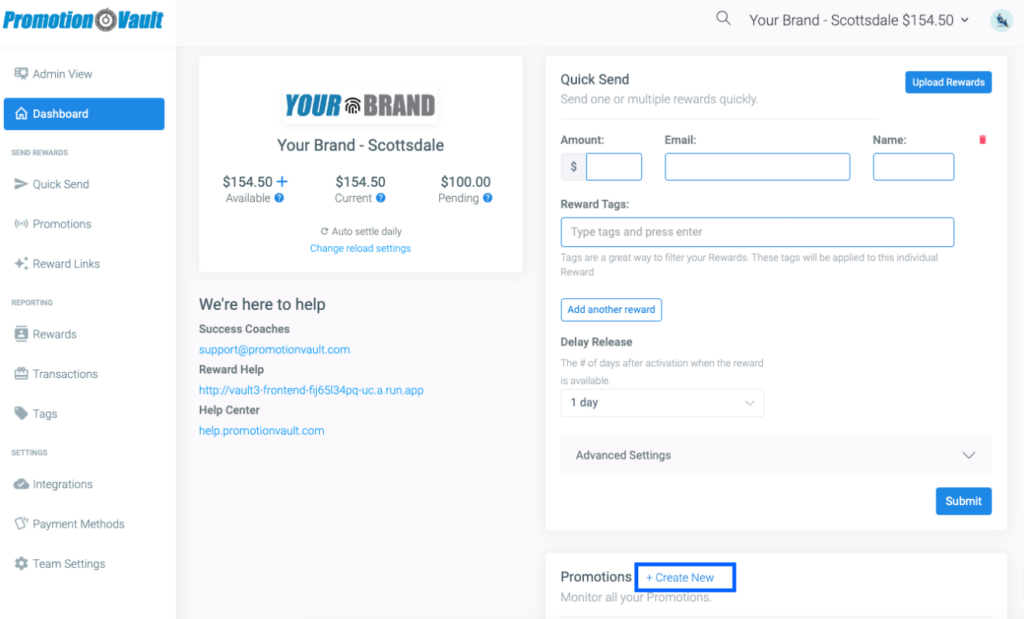
Creating a promotion from the dashboard

2. You can create a promotion and customize all the parameters. Including dates, email, verification & release settings.
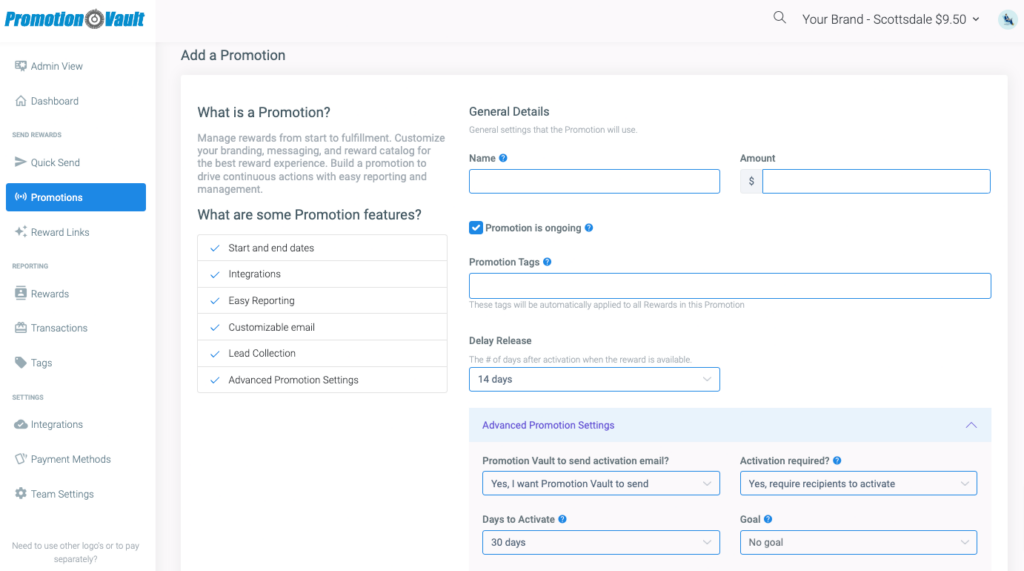
Promotion parameters

3. You will see the notification that you were successful
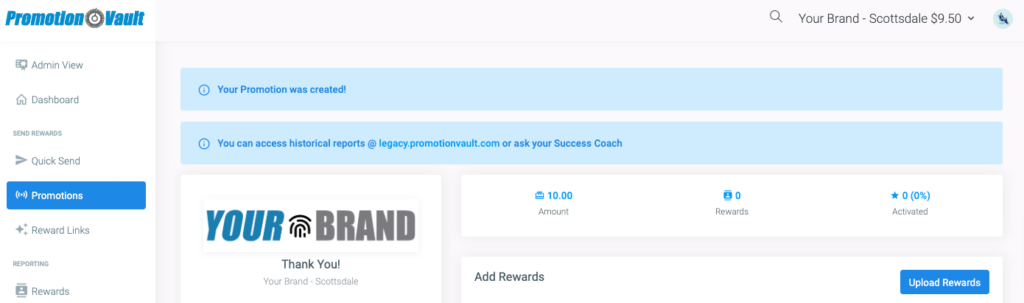
Success notification

Need to upload multiple rewards at once? Learn more!

Did this article solve your problem?
{{ voteNote }}

More in Getting Started

Setting up a team Add your payment method Add some funds Add your first reward

Create your first promotion

No articles match that search. Try a different word.

Follow these steps to create a promotion:

1. From the Promotions widget on the Dashboard click Create Promotion OR In the left-hand menu, click Promotions then Create New.

Creating a promotion from the dashboard

2. You can create a promotion and customize all the parameters. Including dates, email, verification & release settings.

Promotion parameters

3. You will see the notification that you were successful

Success notification

Need to upload multiple rewards at once? Learn more!

Did this article solve your problem?

More in Getting Started