A team is a way for you to separate funding accounts, team members, promotion statistics, quick send histories, transaction histories, reward histories, etc. You may find separate teams beneficial if:
Multiple departments within your organization need to utilize rewards.
Different payment methods need to be used for separate teams.
You have multiple different brands to send rewards for.
How do I add additional teams?
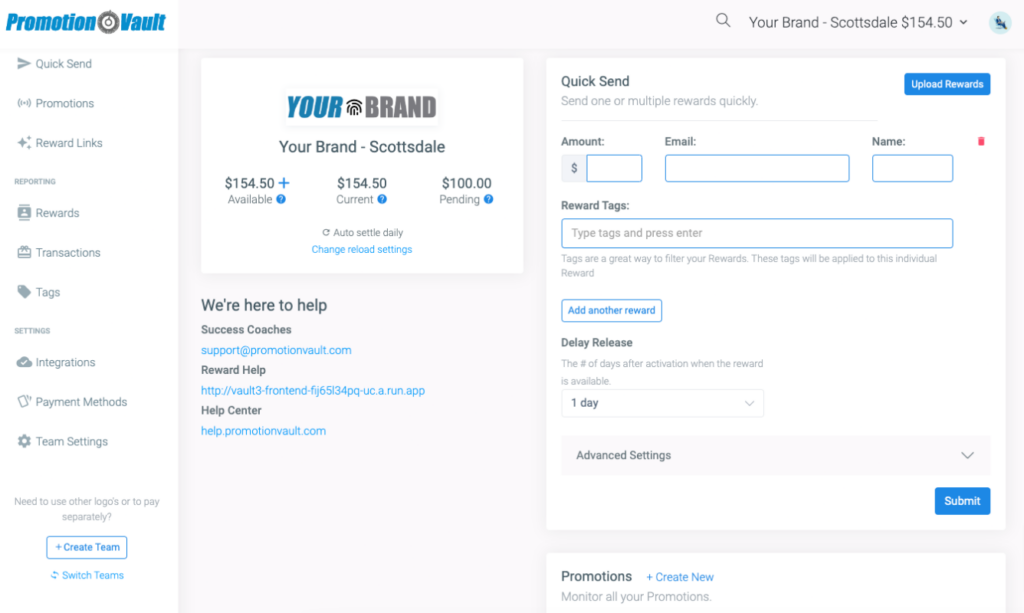
1Click Create Team at the bottom of the left-hand menu.
2Enter the new team’s name; this can be updated later.
3Select the currency.
4Upload your logo; this can be updated later if needed.
5Advanced Settings: enter any additional details and customize your colors.
6Select create.
7Once created, access all teams from the Admin View from the left hand menu..
Did this article solve your problem?
{{ voteNote }}