What is a Promotion?
A promotion is a way to manage, customize and send rewards that have a shared action and value.
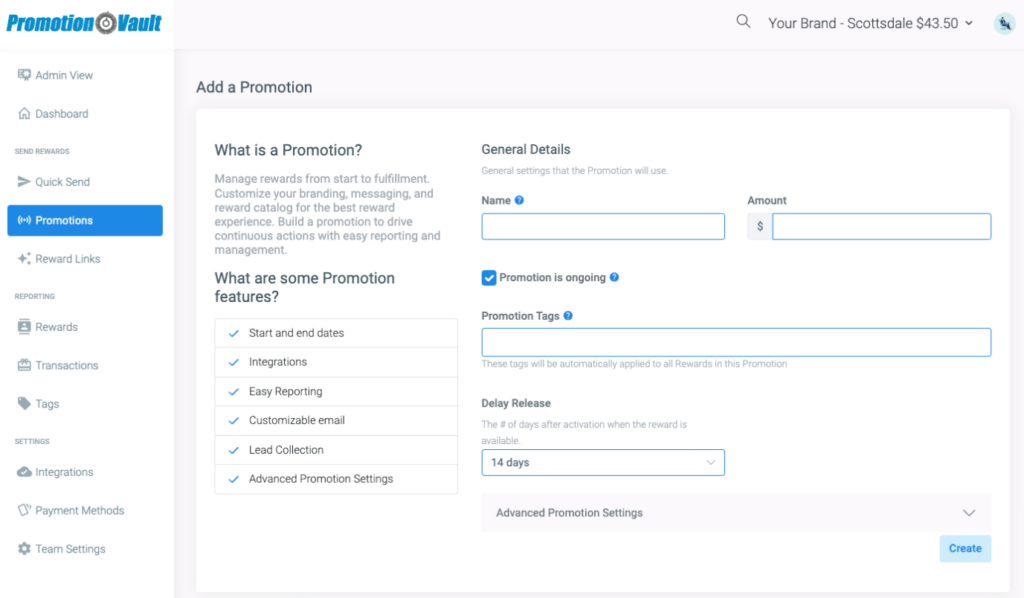
How do I create a Promotion?
1From the sidebar, click Promotions then Create New.
2Enter the name, amount and dates (if applicable).
3Add any tags.
4Under Advanced Promotion Settings, update and customize the promotion parameters (optional)..
5Click Submit.
Need to upload multiple rewards at once? Learn more!
Catalog(s)
Customize the catalog for your rewards with any of our retailer options.
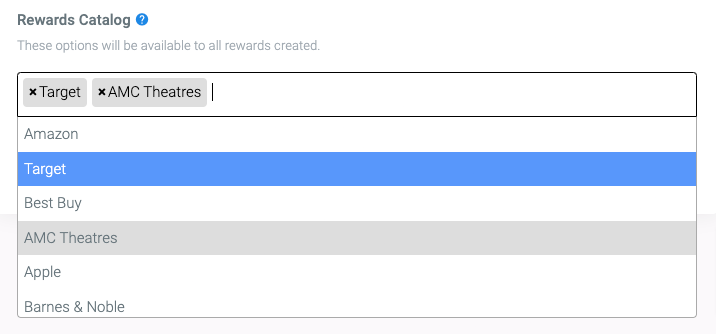
1By default all reward options will be available.
2When creating promotions, select the specific retailer from the Reward Catalog drop down under Advanced Promotion Settings.
Did this article solve your problem?
{{ voteNote }}