What is a quick send?
Quick Send is the easiest way to send multiple Rewards of different values at once. There is the option to send a single reward as well! If you’re running a program to reward for a continuous action that uses the same value, try making a Promotion for better results.
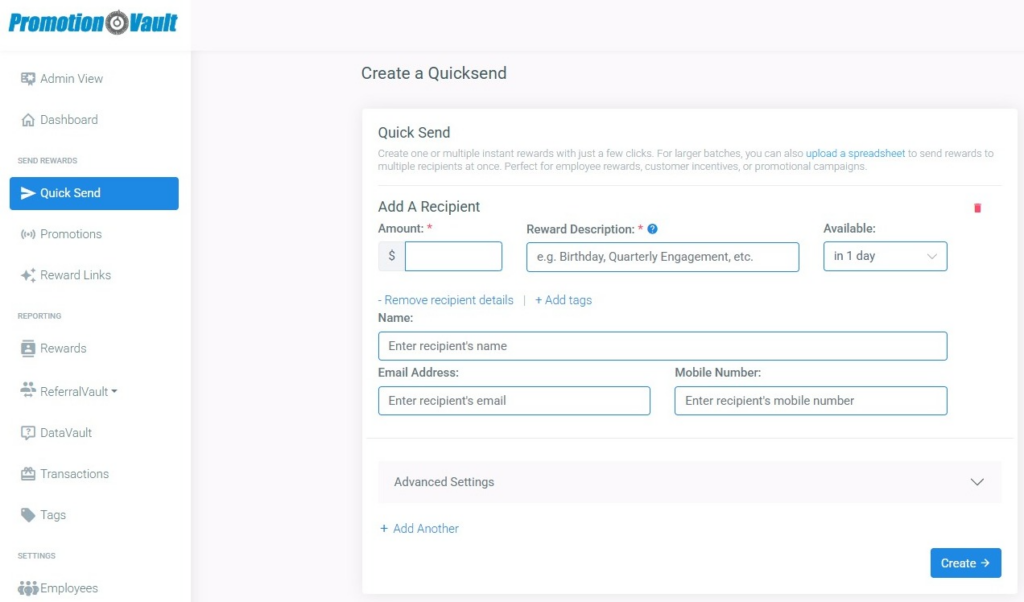
How do I send a Quick Send?
1From the sidebar, click Quick Send.
2Enter the email and/or mobile, name & amount.
3Add tags if you need to.
4Under Advanced Settings, customize the SMS/email subject line and email body (optional).
5Select the reward parameters and add any additional tags.
6Click Submit.
Need to upload multiple rewards at once? Learn more!
Did this article solve your problem?
{{ voteNote }}